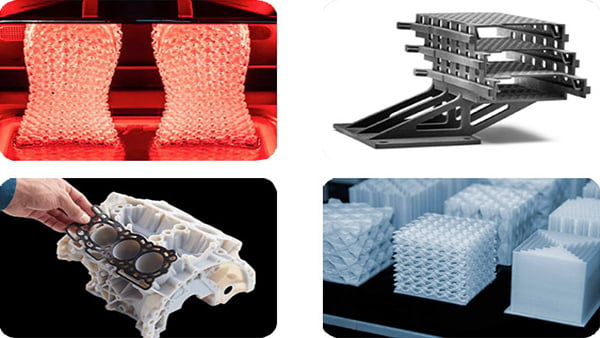
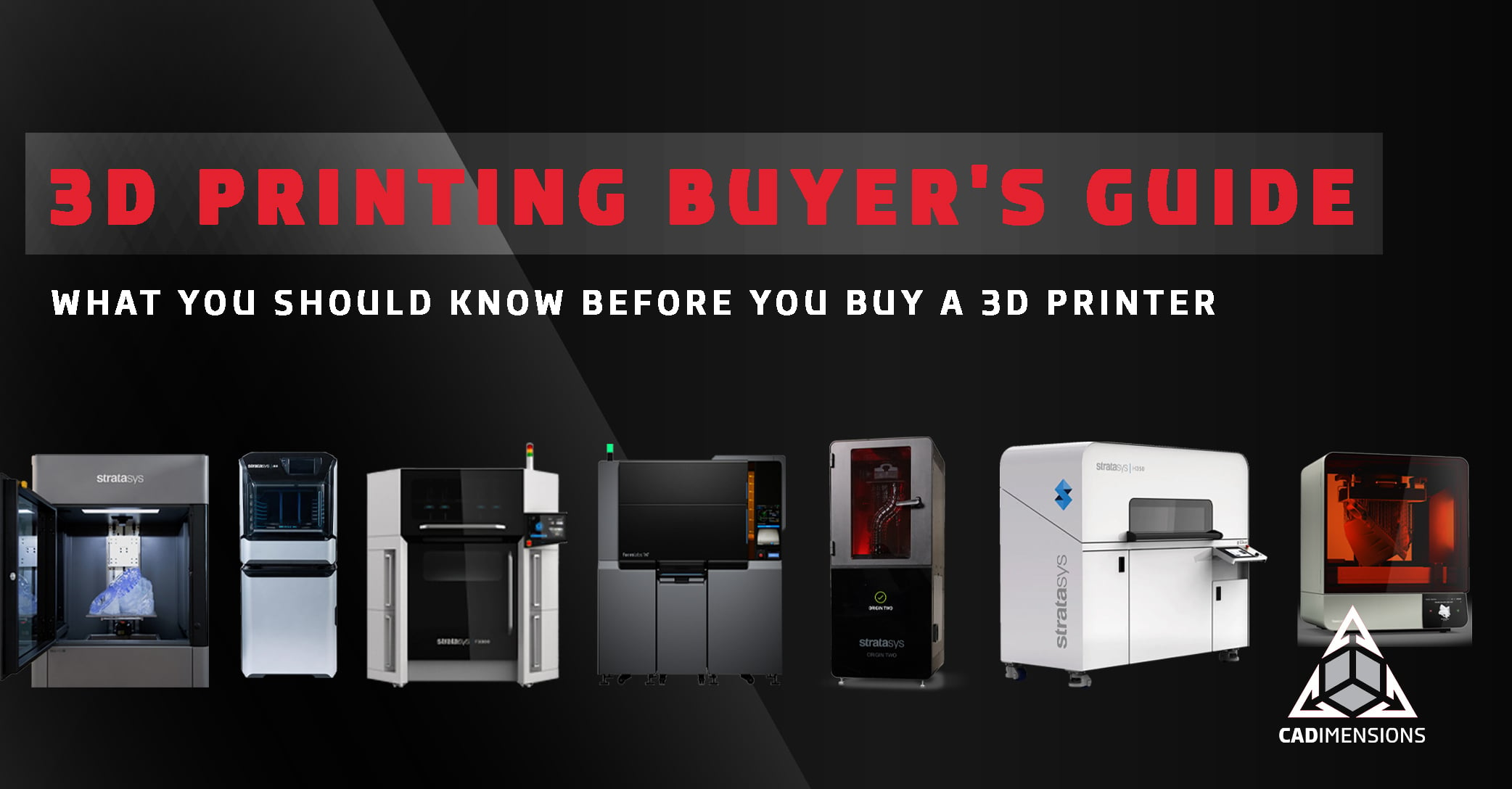
Choosing a 3D printer starts as a workflow decision. The right technology depends on what you are making, how many you need, how long the parts have to last, and what your facility can support. Once you have narrowed down the technology, spec sheets matter: build volume, material options, machine footprint, and power requirements all factor into the final call. This page covers seven professional 3D printing processes, the nine questions that narrow the field, and the six costs that determine what a printer actually costs over five years.
What is 3D printing?
3D printing, also called additive manufacturing, is a process that builds three-dimensional objects from a digital model by adding material layer by layer. Unlike conventional machining, which cuts material away from a solid block, 3D printing deposits material only where it is needed. The result is less waste, more geometric freedom, and the ability to produce parts that are difficult or impossible to make with traditional methods.
A 3D printer takes its instructions from a CAD file. Software slices the model into virtual layers, and the printer builds each one until the part is complete. The technology used to fuse or cure those layers is what separates one type of printer from another and there are seven worth knowing.
Before going further, it helps to clear up a few common assumptions about what 3D printing can and cannot do. The 3 Biggest Misconceptions in 3D Printing is a good starting point if you are new to the technology or inheriting skepticism from someone who is.
9 questions to ask before you buy a 3D printer
Work through these before you look at a single spec sheet. Answering them honestly will eliminate most of the catalog and leave a short list worth evaluating seriously.
1. What is your goal?
Common goals include shortening the design cycle, testing more ideas in less time, producing functional prototypes that catch errors earlier, illustrating concepts to clients or investors, improving customization on existing products, and developing job-ready students for technical careers. Being clear about the objective is what narrows the field.
2. What will you do with the parts?
Will they communicate an aesthetic concept (form and fit)? Or do they need to behave like production materials (form, fit, and function)? Will printed parts be the final production component? This question does more to determine the right printer than any other.
3. Are aesthetics more important than functionality?
If parts need to look realistic, combine rigid and flexible elements, or offer smooth surfaces and fine features with minimal post-processing, PolyJet, SLA, and DLP (which includes Masked SLA from Formlabs and P3 from Stratasys) belong at the top of the list.
4. Where will the parts be used?
Parts that will see heat, pressure, UV exposure, or chemical contact need functional thermoplastics. FDM, SAF, and SLS are the right technologies here.
5. How long do the parts need to last?
If longevity matters, FDM, SAF, and SLS are the strongest fits. Their thermoplastic materials hold mechanical properties over time in a way that photopolymers generally do not.
6. How many do you need?
One-off and low-volume work favors FDM, PolyJet, and DLP (Masked SLA). Repeat volume favors powder bed fusion and DLP (P3), where nesting density and consistent cycle time drive cost per part down as quantity climbs.
7. What skills do you have in-house?
FDM, PolyJet, and DLP (Masked SLA) systems are approachable enough that an engineer can run them alongside regular work. SLA, SAF, SLS, and DLP (P3) reward having someone who owns the process. If in-house expertise is limited, outsourcing to a 3D printing service provider is a lower-risk way to learn before committing capital.
8. What kind of space do you have?
FDM, PolyJet, and DLP (Masked SLA and P3) systems are generally office-friendly. SLA, SAF, and SLS printers have specific requirements around temperature, humidity, power, and for powder and resin systems, ventilation and PPE.
9. What is your budget and timeline?
A fixed budget and fixed deadline may make ordering parts the faster, cheaper path. Building a long-term capability shifts the calculation to the total cost of ownership, which is covered in detail below.
The 7 types of professional 3D printing explained
Professional 3D printing breaks into four process families and seven distinct technologies.
Each profile below covers how the process works, where it excels, what it asks of your facility, and where it falls short.
FDM (Fused Deposition Modeling)
FDM is the most widely used form of professional 3D printing. It builds parts by heating thermoplastic filament and extruding it layer by layer along a toolpath.
Because the input material is real thermoplastic, the output part behaves like one. FDM covers everything from concept models to certified aerospace components, depending on the system and material. It is the easiest technology to operate and requires no specialized facility beyond an air-conditioned space. The main tradeoff is visible layer lines and parts that are slightly weaker along the layer direction than across it.
Best for: Concept models, functional prototypes, jigs and fixtures, molds, production parts.
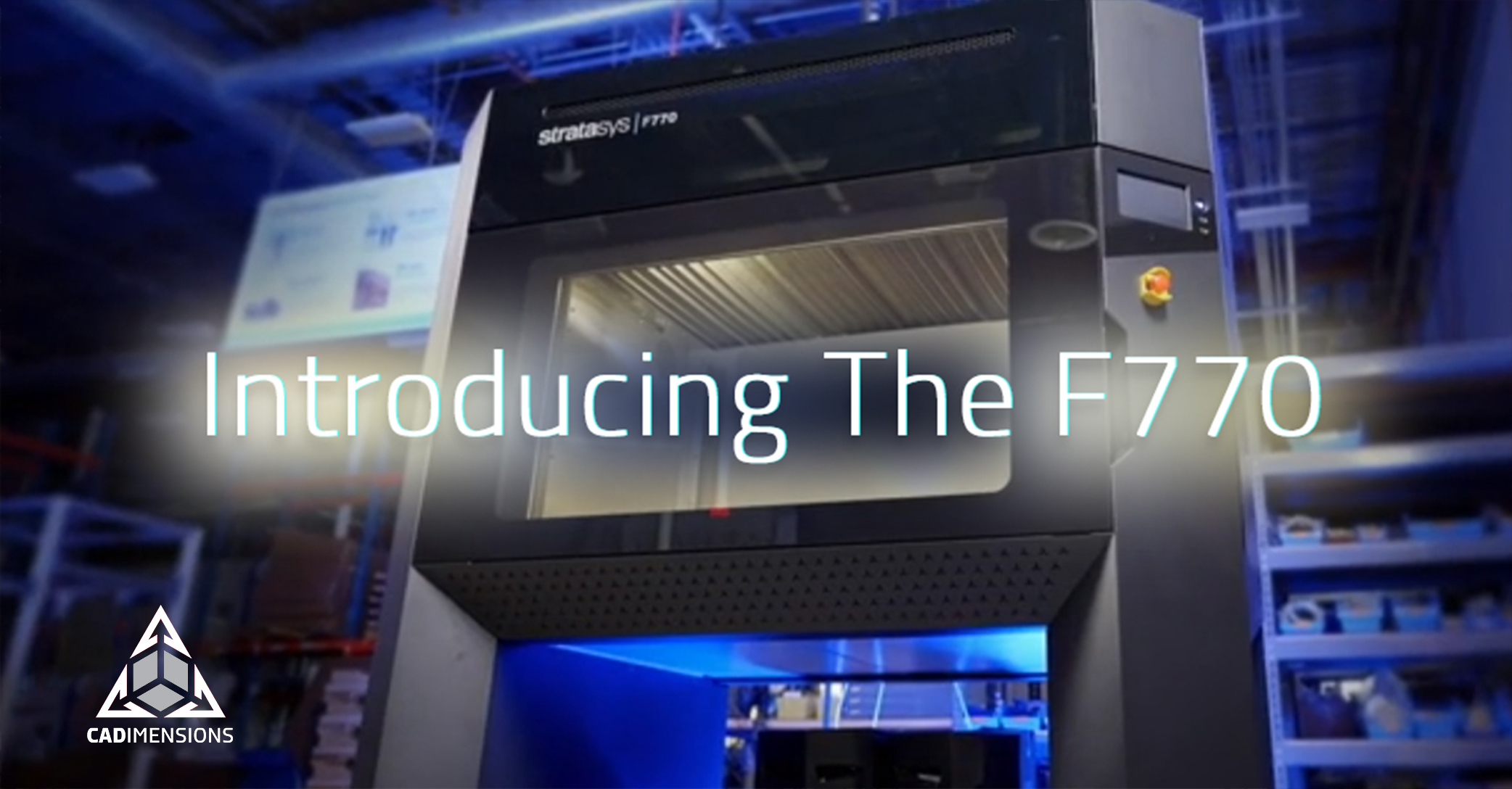
Systems: Stratasys F123 Series, F3300, Fortus 450mc, F770.
For a deeper look at how FDM material strength compares across grades, see What is the Strongest 3D Printer Filament? and the FDM 3D Printing Materials Cheat Sheet.
PolyJet
PolyJet works like an inkjet printer, but instead of ink on paper it jets liquid photopolymer onto a build tray where each droplet cures instantly under UV light.
Because the printhead can jet several resins simultaneously, PolyJet can combine rigid and flexible materials in a single build and print full-color, highly realistic models. It produces the best surface finish and feature resolution of any technology in this group. The tradeoff is UV and temperature sensitivity, with less long-term durability than production thermoplastics.
Best for: Full-color concept models, multi-material prototypes, surgical planning models, overmold simulations.
Systems: Stratasys J35 Pro, J55, J850 Series.
Stereolithography (SLA)
SLA was the world's first 3D printing technology and remains the benchmark for large parts that require tight tolerances and a smooth surface.
A laser traces each cross-section across a resin vat, curing the layer before the platform steps down. Stratasys Neo systems produce master patterns for urethane casting and investment casting patterns used to create metal aerospace and medical parts. SLA requires more operator knowledge than FDM or PolyJet and is not suited to office environments.
Best for: Large concept models, functional prototypes, investment casting patterns, molds.
Systems: Stratasys Neo450, Neo450s, Neo800.
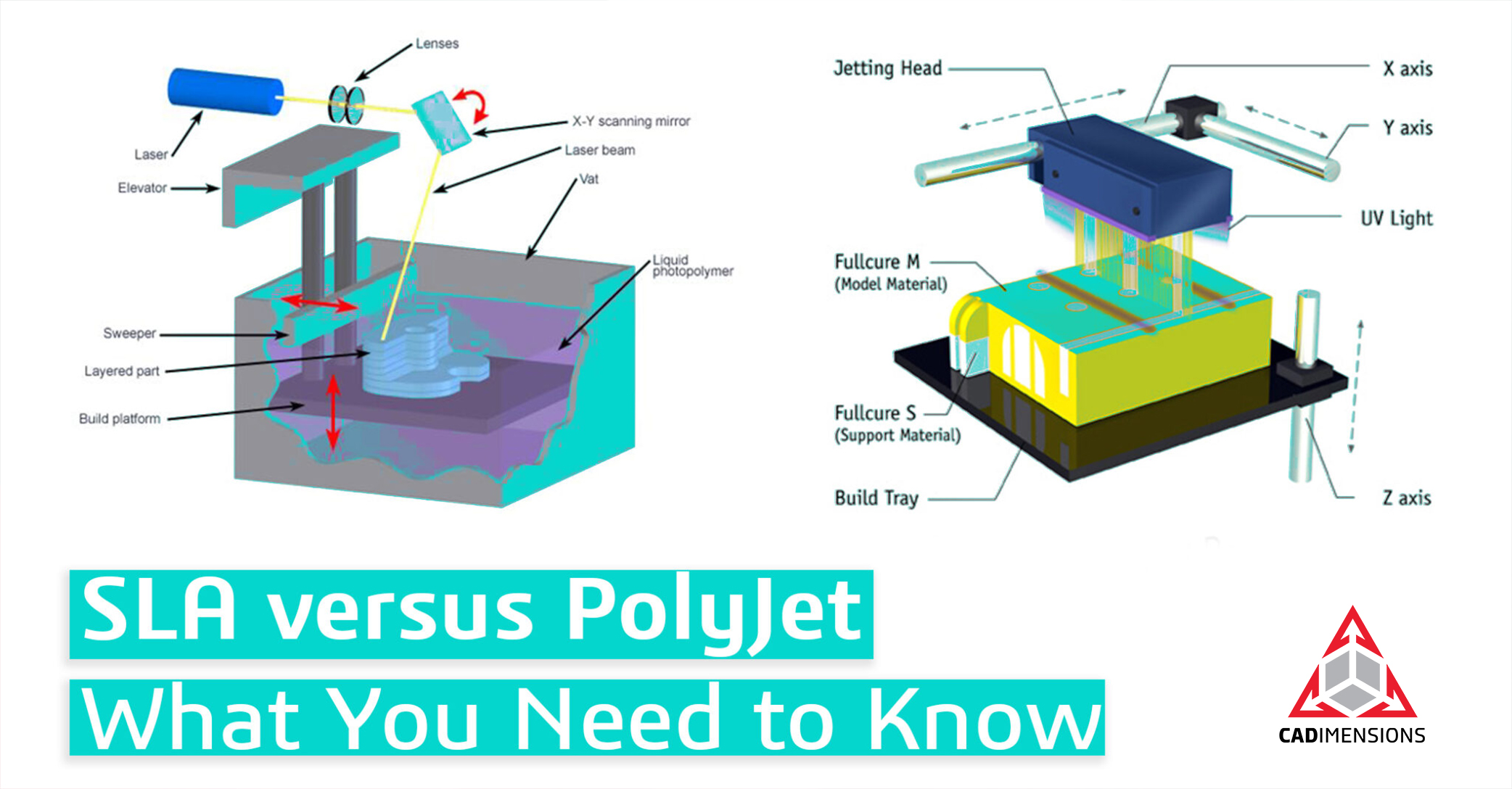
Deciding between SLA and PolyJet? Read the full comparison here.
DLP, Masked SLA (Low Force Display)
Masked SLA is Formlabs' term for their DLP process. Both Masked SLA and P3 are forms of Digital Light Processing (DLP).
Masked SLA replaces the laser with a high-resolution LCD panel that projects an entire layer at once, making print time a function of part height rather than complexity.
Formlabs builds this into its Low Force Display print engine, combining an LED array and flexible film tank to cure each layer quickly while keeping peel forces low. The result is a benchtop system that delivers fine features and smooth surfaces at a fraction of SLA cost. This is usually the least expensive entry point to genuine industrial resin quality, with a rapidly expanding material library spanning engineering, biocompatible, elastomeric, and high-temperature resins.
Best for: High-detail prototypes, short-run end-use parts, jigs and fixtures, casting patterns.
Systems: Formlabs Form 4, Form 4B, Form 4L, Form 4BL.
DLP, P3 (Programmable PhotoPolymerization)
P3 is Stratasys' term for their DLP process, engineered specifically for production-grade output.
P3 uses a projected light source like masked SLA but adds closed-loop control over temperature, pressure, and exposure through the build, holding tolerances across long production runs.
Parts come off smooth enough to need no secondary sanding or painting. Tolerances approach injection molding, and a validated workflow means a job set up once repeats with the same result months later. P3 is built for production, not prototyping, and requires a temperature and humidity-controlled environment.
Best for: Functional prototypes, molds, jigs and fixtures, production-level end-use parts.
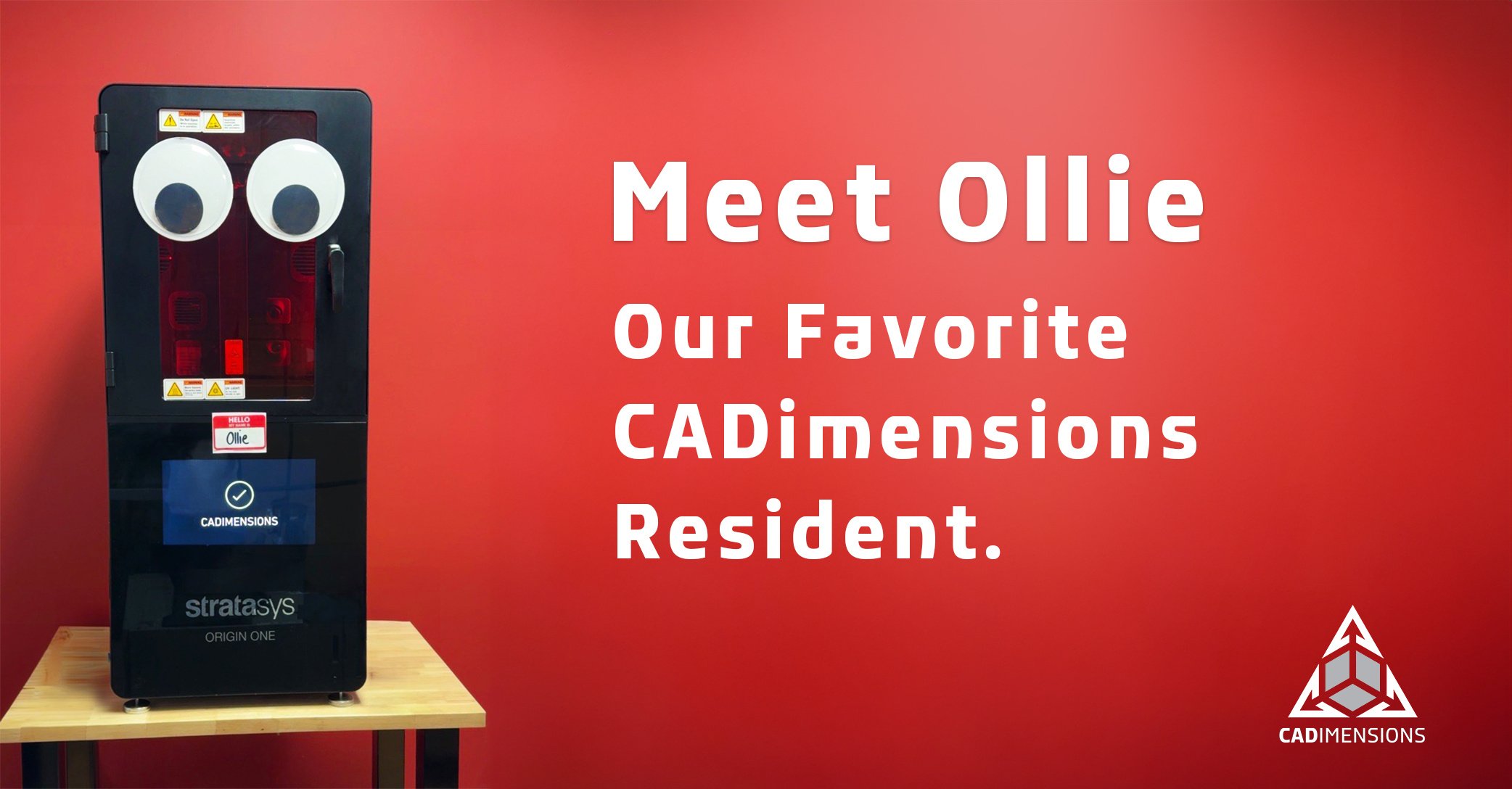
Systems: Stratasys Origin Two.
SAF (Selective Absorption Fusion)
SAF jets a highly loaded fluid onto a polymer powder bed, fusing it layer by layer. Its in-line, unidirectional architecture means every part sees the same thermal history regardless of where it sits on the bed.
For shops running the same part thousands of times, that uniformity is what makes cost per part and production yield predictable. SAF has a narrower material palette than other technologies and is less suited to one-off conceptual work or low-volume runs.
Best for: Short-run and volume production, functional prototypes, jigs and fixtures.
Systems: Stratasys H350.
SLS (Selective Laser Sintering)
SLS fuses polymer powder with a laser inside a heated chamber. The unfused powder surrounding each part acts as its own support, eliminating support structures entirely and allowing three-dimensional nesting across the full build volume.
A single SLS build can carry dozens or hundreds of parts, and cost per part falls as packing density rises. Nylon parts come off the machine strong in every direction, making SLS one of the few technologies where the same process and material produces both prototypes and end-use parts.
Best for: Functional prototypes, end-use production parts, complex geometries, consolidated assemblies, ducting and housings.
Systems: Formlabs Fuse 1+ 30W, Fuse X1.
Moving toward production with additive manufacturing? Download our free guide to additive manufacturing for production.
3D printing technology comparison: all 7 processes side by side
Use this table to shortlist technologies, then go back to the individual profiles for the detail behind each rating. Ratings are relative to the other technologies in this guide, not to manufacturing at large.
| Technology | Detail | Surface Finish | Durability | Build Volume Fit | Office Ready |
|---|---|---|---|---|---|
| FDM | Good | Very Good | Excellent | Low to Mid | Yes |
| PolyJet | Exceptional | Exceptional | Fair | Low | Yes |
| SLA | Excellent | Exceptional | Fair | Low to Mid | No |
| Masked SLA | Excellent | Exceptional | Fair | Low to Mid | Yes |
| P3 | Excellent | Excellent | Very Good | Mid to High | No |
| SAF | Very Good | Very Good | Excellent | High | No |
| SLS | Very Good | Very Good | Excellent | Mid to High | No |
What materials are available for 3D printing?
Professional 3D printing materials fall into three families: thermoplastics, photopolymers, and polymer powders. The right choice depends on the application, not the printer alone.
Thermoplastics (FDM)
Thermoplastics are the same class of polymers used in injection molding, which is what makes them so useful for validation work. A printed FDM part behaves enough like the eventual molded part to test form, fit, and function before committing to tooling. The family covers standard plastics for concept work and fit checks, engineering plastics for heat resistance, chemical resistance and impact strength, and high-performance grades for aerospace and defense applications. For a full material-by-material breakdown, the FDM 3D Printing Materials Cheat Sheet is worth bookmarking.
Photopolymers (PolyJet, SLA, DLP)
Photopolymers are liquid resins that cure under UV light. They produce outstanding feature definition and smooth surface finishes. The tradeoff is consistent across the family: photopolymers are UV-sensitive and generally less durable over time than production-grade thermoplastics. Categories include general purpose for fast iteration, tough and durable for snap fits and housings, high temperature for fixtures near heat, elastomeric for gaskets and grips, castable for investment casting patterns, and biocompatible for medical and dental applications. Biocompatible resins are particularly relevant in clinical workflows. See how they apply in 3D Printing for Prosthetics.
Polymer Powders (SAF, SLS)
Powder bed materials are thermoplastics, most commonly nylon-based, though options like PP and TPU also exist, that produce strong functional parts with no support structures. Parts come off the machine with a matte, slightly grainy finish that can be blasted or polished. The grades worth knowing: Nylon 12 for general-purpose strength, Nylon 11 for ductility and impact resistance, Nylon 12 GF (glass-filled) for added rigidity, Nylon 11 CF (carbon fiber-filled) for stiffness and a high strength-to-weight ratio, and TPU 90A for firm but flexible seals, gaskets, and impact-absorbing parts.
How much does a 3D printer cost?
The purchase price is the part of the cost you can see. These six factors determine what the machine actually costs over five years.
1. The printer
Professional systems range from benchtop resin printers to full production platforms, with price differences of more than an order of magnitude between them. Buying purely for today's project is the most common way teams end up replacing a machine within two years. Consider current and future goals together.
Approximate system price bands
| Technology | Under $10K | $10K–$50K | $50K–$200K | $200K–$500K |
|---|---|---|---|---|
| FDM | ● | ● | ||
| PolyJet | ● | ● | ||
| SLA | ● | ● | ||
| Masked SLA | ● | ● | ||
| P3 | ● | ● | ||
| SAF | ● | ● | ||
| SLS | ● | ● |
2. Materials
Materials are the most underestimated line item in total cost of ownership. Count waste as well as unit price: support material, failed builds, resin left in a tank, and powder refresh ratios all show up on the invoice.
3. Equipment and facilities
FDM, PolyJet, and DLP (Masked SLA and P3) systems can generally be installed in an office or lab. SLA, SAF, and SLS printers have specific requirements around temperature, humidity, power, and for powder and resin systems, ventilation and PPE.
4. Labor
Post-processing time belongs in the cost model. Washing and curing resin parts, removing supports, and depowdering an SLS build are real hours. FDM, PolyJet, and masked SLA printers are the most operator-friendly. SLA, SAF, SLS, and P3 may require dedicated attention.
5. Support and maintenance
An annual service contract keeps downtime minimal and costs predictable. If a printer is running in a production schedule rather than a lab, treat service coverage as mandatory rather than optional.
6. The cost of doing nothing
This is the one that usually wins the internal argument. Quantify the cost of inaction: slow design cycles, excess outsourced part spend, too many change orders, or a product line that is not moving. That number is often larger than the printer.
What happens after a part comes off the printer?
Every 3D printing technology requires post-processing. Planning for it is the difference between a printer that produces parts and a printer that produces extra work.
FDM and PolyJet parts need support removal. Soluble supports dissolve in an agitated bath. Optional finishing systems smooth FDM surfaces where appearance matters. Every resin part gets washed to remove uncured material and then post-cured to reach its published mechanical properties. Powder bed builds (SAF and SLS) come out of the machine as a cake of fused parts inside unfused powder. Powder is recovered, parts are depowdered, and a media blast cleans the surface. Powder handling requires respiratory protection and a documented cleaning routine.
Frequently Asked Questions About 3D Printing
What is the difference between FDM and resin 3D printing?
FDM prints with thermoplastic filament and produces durable parts suited for functional use. Resin printing (SLA, masked SLA, P3, PolyJet) uses photopolymer that cures under UV light and produces finer detail and smoother surfaces, but parts are generally less durable over time and more sensitive to UV exposure. Resin parts require a wash and cure step after printing. FDM parts can often be used directly off the machine. For a side-by-side breakdown of two of the most popular resin technologies, see SLA vs. PolyJet: What You Need to Know.
What is the difference between SLS and FDM?
FDM builds parts from melted thermoplastic filament extruded layer by layer. SLS fuses nylon powder with a laser inside a heated chamber. The key practical differences: SLS requires no support structures, allows three-dimensional nesting of many parts in a single build, and produces near-isotropic strength. FDM is easier to operate, more material-versatile, and office-friendly, but parts are slightly weaker along the layer direction and cannot be nested the same way.
Which 3D printing technology is best for functional prototypes?
FDM is the most versatile option for functional prototypes because it prints in real thermoplastics that hold mechanical properties under load, heat, and repeated use. SLS is a strong alternative when complex geometry or consolidated assemblies are involved. For high-detail functional prototypes that also need a good surface finish, DLP (Masked SLA and P3) are strong fits depending on material requirements. The Complete Guide to Prototyping goes deeper on how to match technology to your prototyping stage.
Is 3D printing cheaper than traditional manufacturing?
For low volumes, complex geometries, and parts with frequent design changes, 3D printing is almost always more cost-effective because it eliminates tooling costs and setup time. For high-volume production with stable designs, traditional manufacturing generally wins on unit cost. The calculation shifts further in 3D printing's favor when you factor in the cost of waiting on vendors, tooling lead times, and inventory carrying costs.
What 3D printing technology is best for production parts?
SAF and SLS are the strongest fits for production parts that need to be functional and repeatable. SAF on the Stratasys H350 is built specifically for consistency at volume. SLS on the Formlabs Fuse X1 offers high packing density and strong nylon parts at a lower entry cost. DLP (P3) is the right choice when production parts need tolerances approaching injection molding and a smooth surface finish straight off the machine. See also: The Complete Guide to Tooling for production-support applications.
How many parts can a 3D printer produce at once?
Powder bed systems like SLS and SAF allow three-dimensional nesting, so a single build can carry dozens or hundreds of parts depending on part size. FDM and resin printers build on a flat plate, which limits nesting to two dimensions. In all cases, cost per part falls as packing density or plate utilization rises.
What should I look for in a 3D printing partner?
Look for a partner that offers application engineering to match the right technology to your part, benchmark printing on real geometry before you commit, installation and training, service coverage, and access to parts on demand when your printer is unavailable. For a full breakdown of what separates a strong partner from a vendor, read How to Choose the Right 3D Printing Service Provider.
How do I justify the investment in a 3D printer to leadership?
Build the case around total value, not purchase price. Quantify avoided outsourcing spend on prototypes, fixtures, tooling, and rush orders. Calculate time saved from reducing design cycle length and eliminating vendor lead times. Then add the cost of doing nothing: slow decisions, excess inventory, and missed deadlines. That number is usually more persuasive than the printer's price tag.
Get the full 3D printing buyer's guide
This page covers the framework. The guide goes further. Inside, you will find side-by-side technology ratings across all seven processes, a full cost comparison covering system cost, operating cost, and cost per part at volume, detailed materials breakdowns, and a post-processing section that shows exactly what each technology asks of your facility after the build finishes.
If you are evaluating a 3D printer for the first time or building the case for an upgrade, this is the reference to have before that conversation starts.
.png)